How Helektron Works: Complete Guide to AI-Powered PCB Design
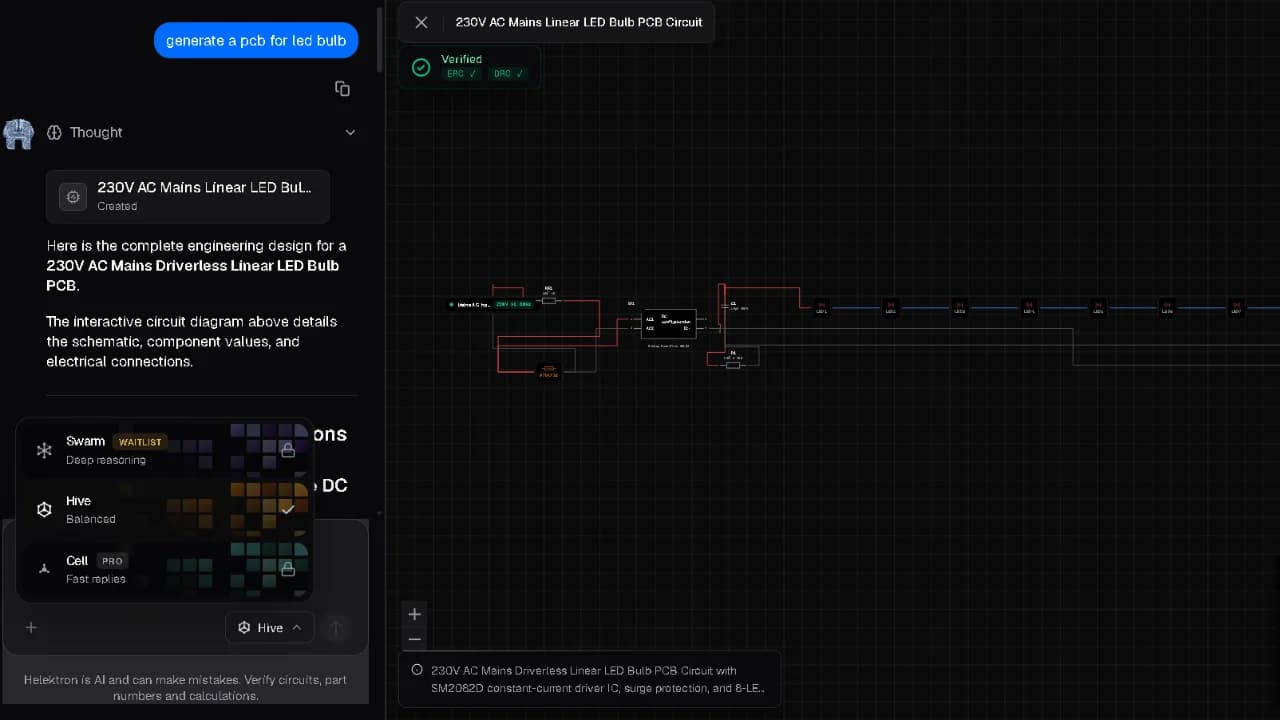
Designing a PCB traditionally involves multiple stages, from understanding a circuit idea and creating a schematic to selecting components, developing the board layout, checking the design, and preparing files for manufacturing. AI is changing this workflow by helping users move from an idea to a structured electronic design more efficiently.
Helektron.ai is a browser-based platform that brings AI into the circuit and PCB design process, allowing users to describe what they want to build and work toward a complete design without requiring traditional desktop installation.
What Is Helektron.ai?
Helektron.ai is an AI PCB design tool designed to simplify electronic design. It combines AI circuit design capabilities with PCB development workflows, helping users transform circuit requirements into structured designs. Instead of relying entirely on traditional PCB design software with AI, users can interact with Helektron through a more accessible, AI-assisted workflow. This makes PCB design with AI useful for engineers, students, hobbyists, and people who are beginning to explore electronics.
How Helektron Works: Step by Step
1. Describe your circuit- Enter your requirements, such as inputs, outputs, voltage levels, and key components. This is where circuit design with AI begins: you focus on what the circuit must do, not on drawing every connection. 2. Generate the schematic- Helektron's AI schematic generator turns your requirements into a structured schematic, giving you a working starting point instead of a blank page. 3. Automate placement and routing- Using AI PCB design automation, the platform suggests component placement and routes traces while respecting spacing, layer, and electrical constraints. This automated PCB design stage is often the most time-consuming part of a manual workflow. 4. Review and refine- You stay in control. Check the layout, adjust components, and run design rule checks until the board meets your needs. 5. Export for manufacturing- When you're satisfied, export your files and send them to your preferred fabricator.
Why Use AI for PCB Design over Traditional PCB design?
Traditional PCB design software provides powerful tools, but creating a complete design can require considerable knowledge and manual work. AI-powered PCB design introduces a more natural way to interact with electronic design systems. With AI PCB design software, users can explore ideas faster, iterate on designs, and reduce repetitive work. Similarly, AI circuit design software can help users move from circuit requirements toward structured designs more efficiently. The goal of automated PCB design is not simply to replace engineers. Instead, AI can act as a design assistant that helps users explore, create, and refine electronic designs. AI circuit design software offers clear advantages over a fully manual workflow:
- Speed- Automated circuit design shortens the path from idea to prototype.
- Fewer errors- Built-in checks help catch problems early, before they turn into costly board revisions.
- Accessibility- An AI circuit design tool lowers the barrier for beginners while saving experienced engineers from repetitive tasks.
- Lower costs- Faster iterations can mean fewer prototype spins.
Designing with Helektron.ai
Helektron brings these capabilities together in a browser-based environment. Its workflow combines AI circuit design, schematic generation, and AI PCB design to make electronic design more accessible. Whether you are learning electronics, developing a prototype, or working on a more advanced project, helektron.ai provides an AI-assisted approach to turning circuit ideas into PCB designs. As AI continues to evolve, AI-powered PCB design can make the journey from an initial concept to a practical electronic design more streamlined, accessible, and efficient. For further Details contact Team Helektron at +91 87965 06854 Read about- What Is Design-for-Manufacturing (DFM) and Why It Matters Or visit website- Helektron.ai